GameBuff
Comprehensive Game Trainer Platform
Home
Recent updates
All games
FAQ
Download Gamebuff trainer
Language
简体中文
English
繁体中文
Japanese
German
Spanish
Russian
Korean
French
Italian
Portuguese
بالعربية
Home
All games
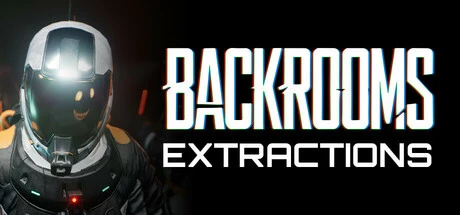
Backrooms: Extractions
Backrooms: Extractions trainer-19trainer-adjuvantUnlimited Energy,Unlimited Mental,Increase Max Energy by 25%Equal functions
Download Gamebuff trainer
Backrooms: Extractions Modify function introduction
Support Platform:
steam
Unlimited Energy
F1
Unlimited Mental
F2
Increase Max Energy by 25%
F3
Set Max Energy
Shift+F4 - F4 +
Increase Max Mental by 25%
F5
Set Max Mental
Shift+F6 - F6 +
Add Money
Shift+F7 - F7 +
Add Tokens
Shift+F8 - F8 +
Add XP
Shift+F9 - F9 +
Unlock All Doors
F10
Game Speed
Shift+F11 - F11 +
Free Camera
Ctrl+F1
Enable Jump
Ctrl+F2
Super Speed
Ctrl+F3
Player Speed Multiplier
Ctrl+Shift+F4 - Ctrl+F4 +
Super Jump
Ctrl+F5
Jump Height Multiplier
Ctrl+Shift+F6 - Ctrl+F6 +
Low Gravity
Ctrl+F7
Gravity Strength
Ctrl+Shift+F8 - Ctrl+F8 +
label:
Unlimited Energy
Unlimited Mental
Increase Max Energy by 25%
Set Max Energy
Increase Max Mental by 25%
Set Max Mental
Add Money
Add Tokens
Add XP
Unlock All Doors
Game Speed
Free Camera
Enable Jump
Super Speed
Player Speed Multiplier
Super Jump
Jump Height Multiplier
Low Gravity
Gravity Strength
You may also enjoy these games
standard 17
trainer