Plattform unterstützen:steam

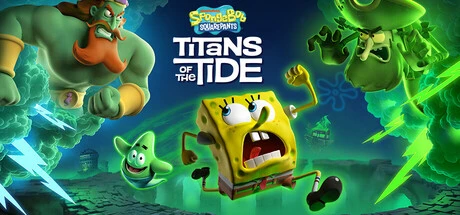
Hey Squad, seid ihr bereit, die Tiefen von Bikini Bottom zu erobern, ohne dass euch der Frust überkommt? Wenn ihr in SpongeBob SquarePants Titans of the Tide manchmal an eure Limits stoßt, weil ein kleiner Fehler euch den Run ruiniert, dann ist unser ultimatives Feature für euch. Mit diesem Power-Up, dem Göttmodus, wird euer SpongeBob und Patrick komplett unbesiegbar, ihr seid einfach invincible und indestructible. Vergesst das nervige Neustarten nach einem missglückten Sprung oder wenn die Hollandaischen Feuerbälle euch treffen. Egal ob ihr euch durch die komplexen Gänge des Neptunpalastes kämpft oder die gefährlichen Gebiete von Goldfish Island erkundet, ihr seid im Safe. Dieser God Mode lässt euch alle Abilities ohne Risiko testen, von den Karatéschlägen bis zu Patricks Kraft, um schwere Items zu tragen. Stellt euch vor, ihr könnt durch ganze Gegnerhorden pflügen, um alle versteckten Collectibles zu jagen, ohne euch Sorgen um eure Health Bar machen zu müssen. Das macht das Platforming und das Puzzle-Solving in SpongeBob SquarePants Titans of the Tide zu einem echten Spielplatz, nicht zu einem Stressfaktor. Für alle, die beim Double Character System hängen bleiben oder ewig für einen kleinen Fehler wiederholen müssen, löst dieser invincible Mod die größten Frustrationspunkte. Ihr könnt euch voll in die epische Story stürzen, die originale Voice-Act Performance genießen und die neuen Fähigkeiten wirklich meistern, anstatt nur auf Checkpoints zu warten. Die Herausforderungen in Titans of the Tide werden zu einem butterweichen, mega spaßigen Abenteuer. Wenn ihr nach Tipps sucht, wie man diese Level ohne Grind durchzieht oder einfach nur das beste Spielerlebnis in SpongeBob SquarePants Titans of the Tide hat, ist das hier euer Gamechanger. Macht euch bereit für eine durchgehende, epische Session, bei der ihr wirklich alles aus dem Spiel herausholt, ohne dass ein einziger Gegner euch stoppen kann. Hol dir diesen Tank-Boost und rocke die Tide!
Ey Leute, habt ihr genug von diesen stressigen Momenten in SpongeBob SquarePants: Titans of the Tide, wo euch plötzlich ganze Horden von Gegnern überrollen und eure perfecten Combos killen? Schluss damit! Mit dieser krassen Fähigkeit, alle nahen Feinde einzufrieren, transformiert sich euer Gameplay komplett. Stell dir vor, mitten im Chaos der Titans of the Tide, wenn die Bucket Ghosts oder die Wiggy-Mobs dich komplett zerfetzen, aktivierst du diesen Gamechanger und plötzlich sind alle Hostiles in Eisstatuen. Das ist echtes Crowd Control, das dir den Flow zurückgibt! Diese Fähigkeit ist absolut next-level, egal ob du gerade in den Gängen des Neptunpalastes abziehst oder auf der Goldfish Insel die Gegner checkst. Wenn du nach Tipps suchst, wie du diese Moshpits souverän meisterst, dann ist das hier dein Gamechanger. Stell dir vor, du bist mitten in einem wilden Kampf, plötzlich friert alles ein, du hast Zeit, deine Bullen von Bob l Sponge zu spammen oder Patrick mit den Graffitis ordentlich zu zerlegen. Das ist mehr als nur ein einfacher Gel Total Effekt; es ist strategisches Timing, das dir erlaubt, diese chaotischen Begegnungen in geordnete Farming Sessions zu verwandeln. Spieler, die oft unter unerwarteten Gegner-Spikes leiden, die ihre Aerial Combos oder das Sammeln von Hoff-Teles komplett killen, werden diesen Blockage Spectral Effekt lieben. Du kannst diesen Freeze nutzen, um sicher durch einen Mur von Gegnern auf dem Ghostboard zu gleiten, ohne dass dich jemand stört, oder einfach einen safe Spot zu gewinnen, um deinen nächsten Character Swap perfekt zu timen. Wir reden hier von echtem Gameplay-Boost, kein reines Farmen. Wenn du deinen SpongeBob SquarePants: Titans of the Tide Run auf das nächste Level heben willst und wissen willst, wie man diese intensiven Kämpfe beherrscht, dann ist dieses ultimative Eis-Stoppen genau das, was du brauchst, um deine Frustrationen zu eliminieren und den Boss-Fights gegen die Titans richtig zu rocken. Hol dir diesen Power-Up und sieh zu, wie du das ganze Spielfeld in deine Gefälligkeit bringst!
Ey Gamer, habt ihr Bock, in SpongeBob SquarePants: Titans of the Tide richtig durchzustarten und nicht ewig auf Story-Progression warten zu müssen? Wir wissen, wie krass es ist, wenn man in den Collectibles-Mode gehen will, aber durch verriegelte Zonen blockiert wird. Deshalb gibt’s dieses Game-Enhancement, das euch den vollen Loot-Flow garantiert. Stellt euch vor: kein nerviges Durchklicken von Leveln, nur um eine verpasste Melonie oder einen versteckten Schatz zu farmen. Mit dieser Funktion könnt ihr einfach alle Reiseorte freischalten in SpongeBob SquarePants: Titans of the Tide. Das heißt, ihr habt sofortigen Zugriff auf die gesamte Karte, egal ob ihr in den Tiefen von Atlantis City, auf der mystischen Goldfish Island oder im belebten Bikini Bottom unterwegs seid. Das ist der ultimative Game-Booster, wenn ihr euch auf schnelle Sessions konzentrieren wollt. Stellt euch vor, ihr könnt euch mit schneller Teleportation direkt in den Hall des Neptunpalastes katapultieren, um die David Hasselhoff Tels zu jagen, oder einfach einen Sprung ins Ungewisse wagen, um die besten Grappling-Spots auf Mont Bikini zu checken. Dieses Setup ist perfekt, wenn ihr den Flow behalten wollt und nicht durch unnötige Wartezeiten frustriert werdet. Das Feature ermöglicht euch einen echten Saut instantané, was bedeutet, dass ihr zwischen den Champs de Méduses und dem Krusty Krab Volant wechseln könnt, um ordentlich Gold zu farmen und eure Skins zu leveln. Kein lästiges Wiederholen von Stages mehr, nur reiner, unkomplizierter Gameplay-Genuss. Wenn ihr euren Grind in SpongeBob SquarePants: Titans of the Tide auf Turbo stellen wollt und das Gefühl habt, dass euch die Level-Locks ausbremsen, ist dieser Zugang zu einer kompletten Karte genau das Richtige. Wir reden hier von echtem Turbo-Boost für eure Session, weil ihr mit schneller Teleportation und voller Kartenübersicht sofort loslegen könnt. Vergesst das mühsame Quest-Grinden und taucht direkt in das Chaos ein. Das ist das, was die Community braucht, um SpongeBob SquarePants: Titans of the Tide auf das nächste Level zu heben und das ultimative Erlebnis zu haben, ohne sich durch unnötige Hürden quälen zu müssen.
Hey Gamer, seid ihr bereit, Bikini Bottom in eurem absoluten Style zu dominieren? Wenn ihr in SpongeBob SquarePants: Titans of the Tide hängt und euch der Grind nach dem Freischalten aller Kostüme echt auf die Nerven geht, habt ihr hier den ultimativen Gamechanger. Stellt euch vor, ihr könnt direkt loslegen und sofort den full drip rocken, ohne stundenlang Krabby Patties farmen zu müssen oder jede einzelne Quest abzuklappern. Unser spezielle Zugang ermöglicht euch, alle Skins und die komplette Garderobe von SpongeBob SquarePants: Titans of the Tide blitzschnell freizuschalten. Schluss mit dem mühsamen Farming! Egal ob ihr den Lifeguard für die Goldfish Island Runs braucht, um eure Skill-Ceiling zu pushen, oder ob ihr den Coldbob-Look für Mount Bikini stylen wollt – alles ist direkt im Menü verfügbar. Wir reden hier von allem: vom Floating Patty Uniform und Employee of the Month bis hin zu den epischen Raritäten wie Emperor of the Sea, Coldbob, Rock Glasses, Peggy the Pirate und natürlich allen Patrick Outfits wie King Patrick oder Mermaid Patrick. Dieser Game-Boost sorgt dafür, dass ihr euch voll aufs Gameplay konzentrieren könnt, anstatt euch in den Unlock-Flags zu verheddern. Kein Gold, keine Nebenquests, kein nerviger Grind mehr. Mit diesem Feature in SpongeBob SquarePants: Titans of the Tide habt ihr die Freiheit, in jedem Outfit zu chillen, egal ob ihr den BFF Ghost Look für die Neptune Palace Swaps nutzt oder einfach nur eure besten Screenshots mit dem ultimativen Style-Upgrade sichern wollt. Wer nach 'alle Kostüme freischalten Titans of the Tide' sucht, findet hier die Lösung, um sofort in voller Montur zu starten und eure Session mit maximalem Style zu leveln. Das ist pure Style-Freedom im Chaos von Bikini Bottom. Macht euch bereit, den Tide zu beherrschen, wie ein echter Fashion-Icon aus der Tiefe!
Hey Gamer, seid ihr bereit, das Chaos von SpongeBob SquarePants: Titans of the Tide auf ein neues Level zu heben? Wenn ihr das Gefühl habt, dass die Plattform-Sektionen in diesem 3D Fantomiker einfach zu hektisch sind, oder ihr wollt eure Runs durch Bikini Bottom einfach mal auf Turbo stellen, dann ist diese Geschwindigkeitsanpassung euer Gamechanger. Wir reden hier nicht nur von einem kleinen Tweak, sondern von einem vollen Control de Flow, der euer gesamtes Spielerlebnis revolutioniert. Stellt euch vor, ihr meistert die wilden Swaps zwischen Bob und Patrick, diese epischen Karatékicks und das Terrain-Grinding, aber mit der perfekten Rythme Turbo Einstellung. Kein frustrierendes Scheitern mehr beim Swap, weil das Timing einfach zu knapp war. Stattdessen könnt ihr die komplexen Luftmanöver und die Aktivierung der spektralen Laternen in einem butterweichen Ralenti Précis durchziehen, was in den riesigen Gebieten von Bikini Bottom einfach ein Traum ist. Aber seid nicht nur auf Slow-Mo fixiert! Für den schnellen Farm von Kostümen oder wenn ihr die Easter Eggs in der Insel Poisson-Rouge in Rekordzeit jagen wollt, aktiviert einfach den Turbo Modus. Dieses Spiel, SpongeBob SquarePants: Titans of the Tide, lebt von seinen präzisen Momenten, und diese Geschwindigkeitssteuerung erlaubt es euch, sowohl die akribische Puzzle-Lösung im Palais de Neptune im Zeitlupentempo zu genießen, als auch die Bosskämpfe gegen den Hollandais Volant mit maximaler Geschwindigkeit zu wiederholen. Schluss mit dem ewigen Grind! Ob ihr die schwierigen Sprünge auf der Gelee-Plattformen mit absoluter Präzision meistern wollt oder einfach nur den gesamten Run vom Krusty Krab bis zum finalen Showdown straffen möchtet – diese Einstellung gibt euch die ultimative Kontrolle über das Tempo. Wenn ihr nach dem besten Weg sucht, um durch SpongeBob SquarePants: Titans of the Tide zu rocken, ohne dass euch die Hektik stresst, dann ist diese Spielgeschwindigkeit euer Schlüssel zum perfekten Gaming-Flow. Maximiert euer Gameplay, optimiert euer Timing und dominiert die Tiefsee!
Yo liebe SpongeBob SquarePants: Titans of the Tide Community! Bereit, dein Gameplay auf ein komplett neues Level zu heben? Wenn du das Gefühl hast, in den langen Strecken der Ozeanwelt festzustecken, ist unser Super Speed Boost genau das, was du brauchst, um durch die Tiefen zu rasen. Stell dir vor, du spielst SpongeBob und Patrick und kannst einfach run faster mod aktivieren, um jede Ecke von Atlantis blitzschnell zu erkunden. Dieser Vitesse Super Feature ist dein ultimativer Gamechanger, denn er sorgt für einen krassen movement speed up, sodass du wie ein echter Speedrunner durch die Levels jagst. Vergiss frustrierende, langsame Abschnitte – mit diesem Boost wird jede Session zu einem puren Adrenalin-Kick. Hast du Schwierigkeiten, die geheimen Schätze auf den Ghostboard-Inseln zu erreichen? Kein Stress! Mit dieser Geschwindigkeitssteigerung kannst du jetzt Sprünge überspringen, die sonst unmöglich wären, und die versteckten Kisten in Sekundenschnelle farmen. Die Erkundung der Welt wird zu einem echten Highlight, denn du wirst sehen, wie flüssig das gesamte Platforming wird, selbst in den hektischsten Boss Fights in der Stadt Atlantis oder den Medusenfeldern. Stell dir vor, du fliegst den Bossen in den Rücken, weil dein movement speed up dich schneller macht als jeder Gegner. Dieses Feature ist perfekt, wenn du nach einem echten run faster mod suchst, der dir erlaubt, die Action in SpongeBob SquarePants: Titans of the Tide ohne Zeitdruck zu genießen. Du musst dich nicht mehr durch mühsame Wege quälen; du kannst einfach den Super Speed Boost nutzen, um dich wie ein Profi durch das ganze Spiel zu bewegen. Ob du die Tikis in der Luft schnappst oder einfach nur das Gefühl haben willst, der ultimative Held des Ozeans zu sein, dieser speed boost wird dein Erlebnis transformieren. Es ist wie ein Turbo für deine SpongeBob Abenteuer, ein echter game changer, wenn du nach dem besten speed boost für Titans of the Tide suchst. Sei dabei, erlebe die ultimative Geschwindigkeit und zeig allen, wie schnell du in diesem bunten Ozean bist!
Alter, habt ihr euch schon mal gefragt, wie ihr in SpongeBob SquarePants: Titans of the Tide durch die gigantischen Level von Bikini Bottom schneller kommen könnt, ohne dass das Ganze zu einem zähen Marathon wird? Wenn ihr das Gefühl habt, dass eure SpongeBob und Patrick beim Erkunden der verrückten Welten einfach zu langsam sind, dann ist das hier euer Gamechanger! Wir reden hier nicht nur von einem kleinen Geschwindigkeitsschub, sondern von einem echten Boost für euer Gameplay, wenn ihr die Gehgeschwindigkeit in SpongeBob SquarePants: Titans of the Tide optimiert. Stellt euch vor, ihr könnt durch die bunten Level flitzen, statt langsam durch die Korallenriffe zu schleichen. Das ist perfekt, wenn ihr das ultimative SpongeBob SquarePants: Titans of the Tide Erlebnis sucht, bei dem jede Sekunde zählt, egal ob ihr durch die riesigen Hallen von Neptuns Palast rennt oder euch durch die gefährlichen Medusenfelder kämpft. Viele von euch kennen diesen Frust: beim Farmen von Secrets oder beim schnellen Repositionieren im Kampf gegen die Geister fühlt sich die Basisbewegung einfach zu träge an. Aber mit dieser Geschwindigkeitssteigerung wird das ganze Ding smoother, eure Sauts werden präziser und das Gameplay fühlt sich einfach krasser an. Egal ob ihr gerade versucht, die Tiki-Plattformen auf der Insel der Goldfische in Rekordzeit zu meistern oder euch auf die Zeit-Challenges mit Larry dem Hummer vorbereitet, ein schnelleres Movespeed macht den Unterschied. Wir reden hier von einem echten Game-Changer für jeden, der in SpongeBob SquarePants: Titans of the Tide maximale Action erleben will. Wenn ihr das Beste aus diesem 3D Platformer herausholen wollt, von den Karate-Moves des SpongeBob bis zum Graben des Patricks, ist die Optimierung der Vitesse de déplacement euer Schlüssel zum Erfolg. Schluss mit dem langsamen Marschieren, holt euch diesen Speed-Boost und taucht tiefer in das chaotische, humorvolle Abenteuer ein. Dieses Feature sorgt dafür, dass ihr mehr Zeit mit dem Lore und dem Wahnsinns-Humor der Charaktere verbringt und weniger mit dem Warten auf eure nächste Bewegung. Wenn ihr nach Tipps sucht, wie man in SpongeBob SquarePants: Titans of the Tide effizienter wird, ist das die ultimative Lösung für euren Spieler-Flow.
Hey Gamers, seid ihr bereit für ein echtes Gamechanger in SpongeBob SquarePants Titans of the Tide? Wenn ihr die klassischen Plattform-Challenges dieses krassen Spiels manchmal als zu hart empfindet, ist unser Niedrige Schwerkraft Feature genau das, was eure Session braucht. Stell dir vor, du surfst durch die Meeresströmungen Bikini Bottoms mit einer völlig neuen Dynamik. Diese spielerische Anpassung verwandelt jeden Sprung in einen echten Mondlauf, was für unglaubliche Luftzeit und eine völlig neue Art des Aerial Controls sorgt. Schluss mit frustrierenden Miss-Jumps, die dich zurückwerfen! Mit dieser Einstellung in SpongeBob SquarePants Titans of the Tide kannst du mühelos diese kniffligen Abschnitte meistern, sei es beim Farmen der Goldballs im Neptunpalast oder beim Checken der geheimen Collectibles auf Goldfish Island. Dieses Feature bietet dir diese fantastische sanfte Flugphysik, die dir erlaubt, zwischen den Karate-Kicks von Bob und den Grab-Moves von Patrick perfekt zu wechseln, ohne dass dir die Zeit davonläuft. Egal ob du gegen die Titans antrittst oder einfach nur die vertikalen Herausforderungen in Atlantis City und am Mount Bikini erklimmst, dieser Boost gibt dir den nötigen Puffer, um Laserstrahlen zu vermeiden und die Action im vollen Schwung zu genießen. Wir reden hier nicht nur von einem kleinen Trick, sondern von einer tiefgreifenden Verbesserung des Spielerlebnisses in SpongeBob SquarePants Titans of the Tide, die das gesamte Gameplay flüssiger macht. Wenn du nach einer Möglichkeit suchst, deine Skill Ceiling in diesem Titel zu erweitern, ohne dass es sich nach einem reinen Glitch anfühlt, dann ist dieser Niedrige Schwerkraft Modifikator genau dein Ding. Es ist, als würde Bikini Bottom selbst dir einen Schub geben, sodass du jede einzelne Herausforderung in SpongeBob SquarePants Titans of the Tide mit maximalem Flow und Humor meistern kannst. Hau rein und erlebe die ultimative Tidal Ride Erfahrung!
Yo Gamers, seid ihr bereit für den nächsten Level-Up in SpongeBob SquarePants: Titans of the Tide? Wenn ihr euch schon mal in diesen verrückten Tiefen von Bikini Bottom gefühlt habt, wo jede Plattform entweder zu rutschig ist oder einfach zu schwer, um sie zu meistern, dann müsst ihr diesen Gamechanger kennenlernen: die Schwere Waage! Dieses mächtige Feature ist euer absoluter Gamechanger, wenn es darum geht, das Plattformgewicht und die Gravitätsanpassung in SpongeBob SquarePants: Titans of the Tide komplett in eure Hand zu nehmen. Schluss mit dem Frust, wenn ihr in endlosen Stürzen hängt oder wichtige Pfade durch unerwartete Schwerkraft-Verschiebungen blockiert sind – das ist jetzt History! Mit der Schwere Waage habt ihr die ultimative Kontrolle über das Plattformgewicht, was bedeutet, dass ihr jeden Sprung perfekt timen könnt. Stellt euch vor: Ihr steht vor einem epischen Jump, und mit einer einfachen Einstellung verlangsamt ihr diese wilde Plattform, sodass ihr garantiert sicher landet, perfekt kombiniert mit einem krassen Karate-Kick von SpongeBob. Oder wie wäre es in den Bosskämpfen gegen die Titans oder die Schatztruhe des Flying Dutchman? Hier könnt ihr mitten im Slide die Gravitätsanpassung nutzen, um Laser zu umgehen oder stabile Sprungplattformen für euer ganzes Squad zu bauen. Das ist pure Immersion, Leute! Die Möglichkeit, das Plattformgewicht exakt zu steuern, macht die Erkundung und das Lösen dieser kniffligen Rätsel in SpongeBob SquarePants: Titans of the Tide nicht nur entspannter, sondern auch extrem reaktionsschnell und mega spaßig. Egal ob ihr Charakter wechselt und verrückte Combos ansetzt oder einfach nur die chaotische Bikini Bottom Welt auf eine neue, beherrschbare Art erkunden wollt – die Schwere Waage liefert die Lösung für jedes unpassende Höhenproblem. Wenn ihr wirklich wissen wollt, wie man diese Tiefen perfekt durchspielt und alle Easter Eggs findet, ist die Beherrschung der Gravitätsanpassung euer Schlüssel zum Erfolg in SpongeBob SquarePants: Titans of the Tide. Hol dir diesen Vorteil und zocke auf einem neuen Level!
Hey Gamer, seid ihr bereit, Bikini Bottom auf ein neues Level zu heben? Wenn ihr in SpongeBob SquarePants: Titans of the Tide mal wieder frustriert seid, weil euch die Plattformen zu hoch sind oder die Sprünge einfach nicht reichen, dann checkt diesen Super-Sprung aus! Dieser absolute Gamechanger gibt euch den ultimativen double jump boosté, sodass ihr mühelos über die höchsten Abhänge gleitet. Schluss mit dem ständigen Scheitern an den schwebenden Inseln! Mit dieser Funktion wird euer Temps de vol massiv verlängert, was bedeutet, dass ihr richtig lange in der Luft bleiben könnt, was gerade in den Tempeln der Insel der Roter Fische echt Gold wert ist. Stellt euch vor, ihr könnt jetzt mit einem krassen décollage vertical einfach über die gefährlichsten Fallen hinwegfliegen, ohne euch Sorgen um Timing machen zu müssen. Für alle, die das Gefühl haben, ihr verpasst ständig die krassen Collectibles, ist dieser Boost ein absolutes Muss. Er verwandelt gewöhnliche Sprünge in echte Luftmanöver, perfekt, um die geheimen Ecken des Palais von Neptun zu erkunden. Egal, ob ihr gerade versucht, eine epische Sequenz mit den Karateballons zu meistern oder ob ihr gegen die Bosse des Hollandais Volant kämpft und die Feuerschleier einfach überspringen wollt – der Super-Sprung liefert den nötigen Schub. Wir reden hier von einem verlängerten Flugzeitgefühl, das eure Runs in SpongeBob SquarePants: Titans of the Tide komplett aufwertet. Dieses Gefühl, wenn man mit einem perfekten double jump boosté einfach durch die härtesten Passagen fliegt, ist unschlagbar. Vergesst das nervige Gefühl, immer knapp an den Kanten vorbeizukommen. Dieser Boost sorgt dafür, dass euer Gameplay flüssig bleibt und der typische, energiegeladene Vibe von Bikini Bottom durchgehend präsent ist. Ob ihr jetzt einen präzisen Ground Pound auf einen Gegner landen wollt oder einfach nur entspannt durch die spektralen Schluchten navigieren möchtet, dieser Super-Sprung macht jeden Run zu einem Meisterwerk. Holt euch diesen Boost und rockt die Tide wie nie zuvor in SpongeBob SquarePants: Titans of the Tide!
Hey Gamers, seid ihr auch manchmal frustriert in SpongeBob SquarePants: Titans of the Tide, weil ihr einfach nicht hoch genug springt, um diese krassen Sprünge zu landen oder die kniffligen Abschnitte zu meistern? Wenn ihr das Gefühl habt, dass euer Timing einfach nicht reicht, um die versteckten Secrets von Bikini Bottom zu finden oder die Zeitrennen gegen Larry zu gewinnen, dann müsst ihr euch das hier unbedingt anschauen! Wir reden hier über den ultimativen Sprunggeschwindigkeits-Boost, der euer Gameplay in SpongeBob SquarePants: Titans of the Tide komplett auf ein neues Level hebt. Stell dir vor, du kannst in diesem Platformer endlich diese riesigen Sprünge perfekt timen, dein Temps en l'air wird länger und dein Décollage wird einfach next level. Dieses Feature ist ein Gamechanger, wenn du versuchst, die Goldene Televisionsjagd bei Hoff zu knacken oder die vertikalen Herausforderungen im DLC Portail de Plankton ohne Stress zu meistern. Für alle, die ständig an den Kanten scheitern oder bei den chronometrischen Läufen nervös werden, bietet diese Steigerung der Sprunggeschwindigkeit genau die Lösung, die ihr braucht. Es geht darum, dass dein Franchissement präziser wird und du diese epischen Air-Switches im Palais de Neptune souverän durchziehst. Egal ob du Patrick's Krater-Projektile mit einem effizienteren Gleitflug kombinieren willst oder einfach nur die unüberwindbaren Klippen des Mont Bikini mühelos überwinden möchtest, dieser Sprung-Enhancer macht das Ganze butterweich. Schluss mit dem Frust, wenn ihr die perfekten Sprünge für die höchsten Plattformen verpasst. Mit diesem Upgrade in SpongeBob SquarePants: Titans of the Tide wird jeder Sprung zu einem bewussten, mächtigen Move. Wenn du wirklich wissen willst, wie man in diesem verrückten Bikini Bottom-Abenteuer dominiert, dann checkt diesen Sprunggeschwindigkeits-Boost aus und verwandle deine normalen Hüpfer in absolute Meisterwerke des Franchissements. Hol dir diesen Vorteil und erlebe, wie flüssig und befriedigend das Gameplay von SpongeBob SquarePants: Titans of the Tide wird, wenn deine Sprünge einfach immer sitzen.
Titans of the Tide: Epic Game Upgrades & Moves!
SpongeBob Titans: Mods & Boosts Hardcore ! 🌊
SpongeBob Titans of the Tide: Epische Moves & Power-Ups!
SpongeBob Titans: Trucos Épicos y Mods Hardcore
스폰지밥 타이탄즈: 꿀잼 모드 ON! 극한의 플레이 경험 가이드
Titans of the Tide: Truques Épicos no SpongeBob!
SpongeBob: Titans of the Tide — Макс. Буст и Апгрейды!
Sie können auch diese Spiele genießen